http://www.911cd.net/forums//index.php?showtopic=14127&pid=117335&mode=threaded&start=
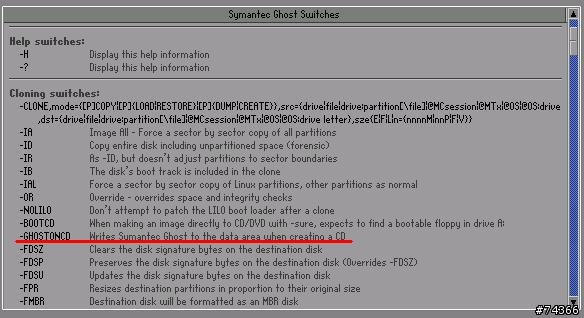
ghost.exe -ghostoncd. Now, when you burn an image to an optical writer, Ghost will place *ghost.exe* in the root directory of the CD data portition of the disk--and the boot sector of the installation CD will be placed on the new CD you are creating--you simply go to the optical drive's drive letter and type: ghost.exe -ghostoncd again to load up Ghost--and you will have access to that image file.