redbird wrote:
to: #74請...(恕刪)
資料夾(有存放被病毒加密的檔案的資料夾)。我不清楚有沒有用,你可以試試看。
同樣地 Windows 內建的系統還原你也可以試試看,死馬當活馬醫的情況。祝你好運!



Hi everyone,
My name is İsmail
I found some kind of solution to get back the files which are encrypted, I think never mentioned before.
When a file is encrypted, the original file is deleted and the encrypted file remains in the place of original file.
Example : (2001.jpeg) file becomes (2001.jpeg.encrypted) while the original file is no longer in that folder.
At this point many people look to the "2001.jpeg.encrypted" file with a right click, properties, previous versions and see nothing as a shadow copy.
Than start to think that, virus deleted the shadow copies. Here do not give up.
Of course you will not see a previous version because it is a new file.
1- Make a new folder on the desktop, copy the "2001.jpeg.encrypted" file to that folder.
2- In that folder, rename the file by just erasing ".encrypted" part to make the file to the origanal name "2001.jpeg"
3- Copy the renamed "2001,jpeg" file to the folder where "2001.jpeg.encryped" file is.
4- With a right click to the file " 2001.jpeg", properties, previous versions, you will have a luck to see the previos versions (shadow copies), if you have an enabled system restore with files before.
At this point, I think, if you see a previous version of the file, you can change it with the previous version and delete the encrypted one.
(What i observed: To see a shadow copy, the file must be named as it was before, and it must be in the folder where it was before)
This helped me to get my files back.
I hope and wish this could also help you.
Greetings from TURKEY.
İsmail
redbird wrote:
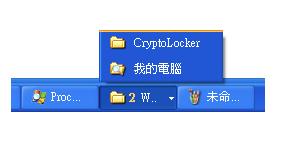
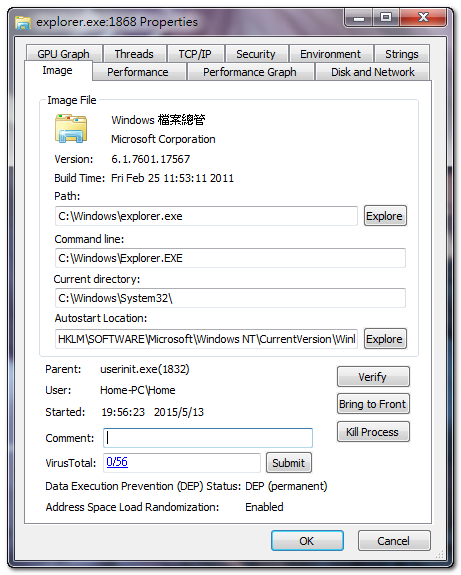
process 有 2個 explorer.exe
1 個 explorer.exe 下面有 iexplorer.exe, notepad.exe, mspaint.exe 等開啟的程式.
另一個 explorer.exe (就是 Crypt0L0cker視窗) 下面則沒有其它 .exe 檔 ...(恕刪)
redbird wrote:
1. 看了被加密檔的folder, 按右鍵內容 (如圖 ). 系統是 XP.
這樣是不是就沒有系統還原 ...(恕刪)

redbird wrote:
2. 請問利用免安裝防毒軟體, 是不是就不需要將現有安裝的Avast 移除 ...(恕刪)