peter624 wrote:
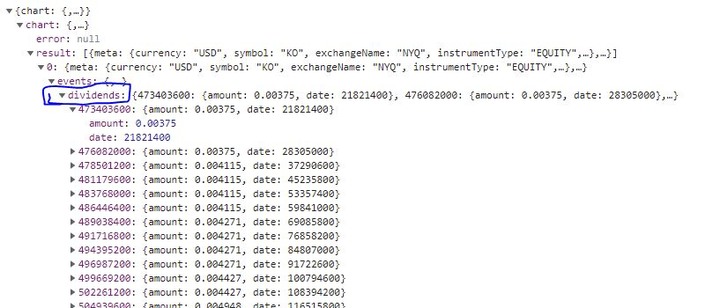
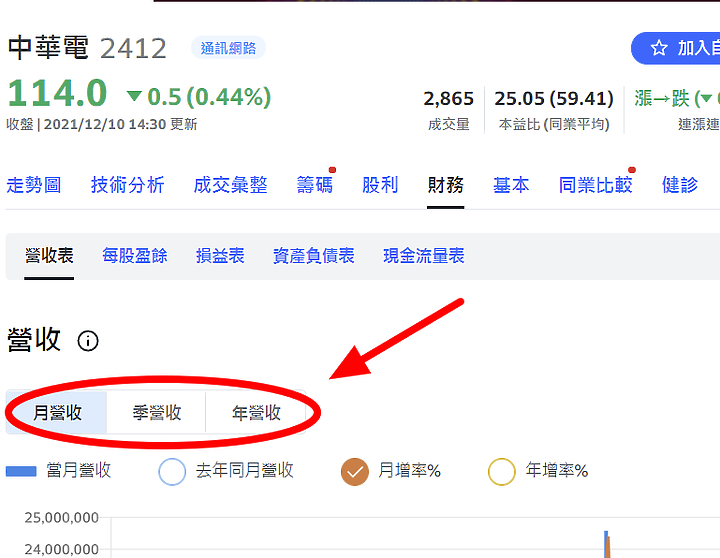
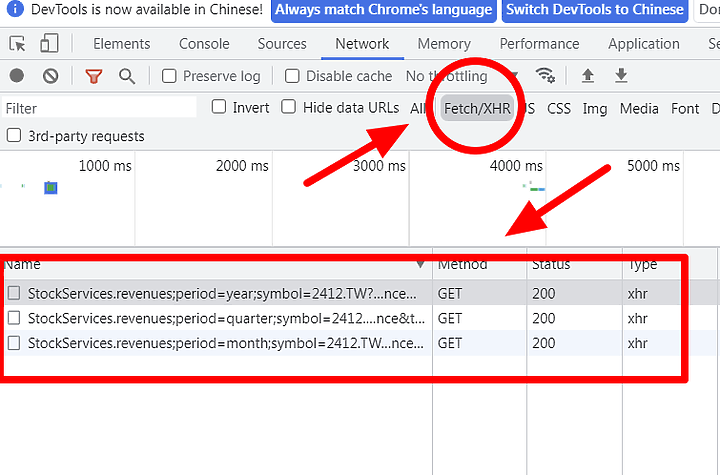
其中json網址部分(圖片顯示'月'、'季'、'年')是如何取得的
一、chrome
二、https://tw.stock.yahoo.com/quote/2412/revenue
三、F12
四、月、季、年,各點一次
五、xhr

alfidpan wrote:
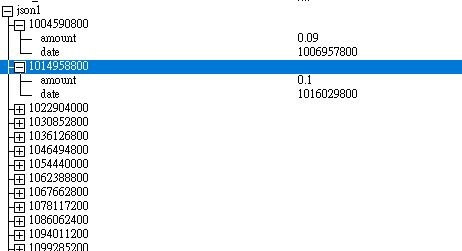
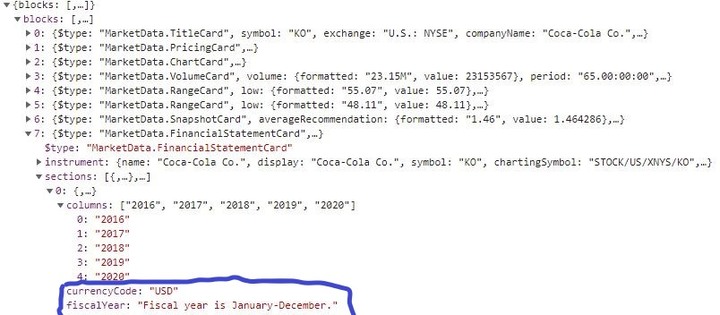
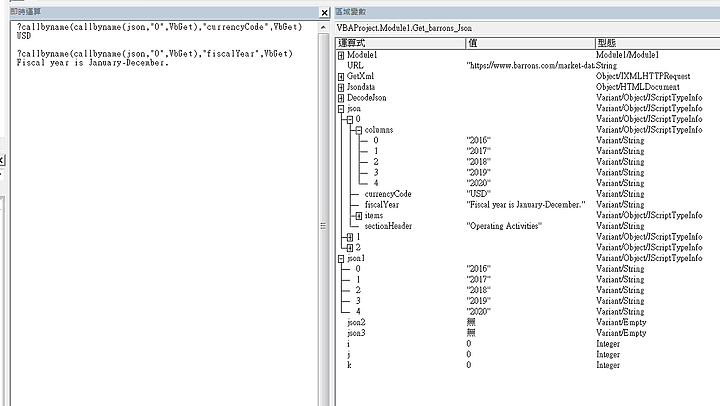
不知要如何才能把"columns"以下的0~4、currencyCode及fiscalYear的資料匯入呢?依您先前的程式碼,還要修改什麼部份才能匯入呢?
alfidpan wrote:
試圖加入此行Debug.Print CallByName(json1, "currencyCode", VbGet),但沒有效果
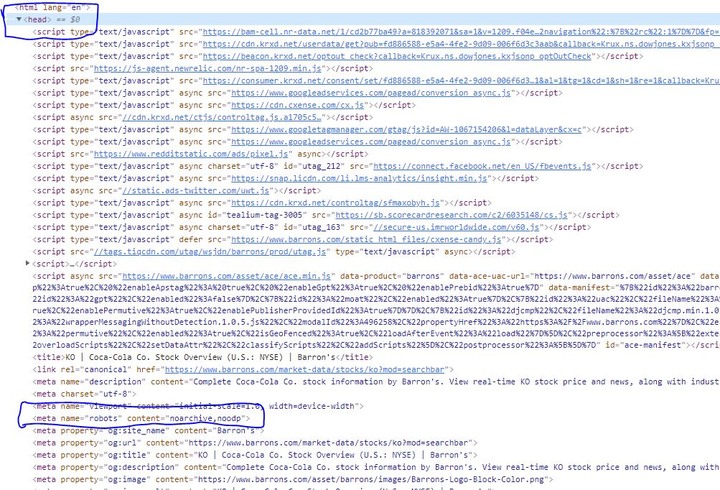


'這裡用1122樓+1123樓nickchu 提供的範例,示範如何改寫scriptcontrol => htmlfile

'1123樓有3個function => getKeys、GetObjectProperty、getProperty
'為了方便修改程式碼,在htmlfile裡面,使用的是相同函數名稱、參數

'(getKeys)(GetObjectProperty、getProperty合併成getProperty)
'scriptcontrol   getKeys、GetObjectProperty、getProperty
'htmlfile Jsondata.GetKeys、Jsondata.GetProperty
'函數說明,請參考1123樓nickchu的範例

'scriptcontrol物件  轉用  htmlfile物件,函數改寫方式
'一、scriptcontrol GetObjectProperty、getProperty => Jsondata.GetProperty
'改寫方式如下:
'CallByName(json物件, "名稱", VbGet)
'GetProperty(json物件, "名稱")
'GetObjectProperty(json物件, "名稱")
'可改用
'Jsondata.GetProperty(json物件,"名稱"),或混用callbyname


'二、scriptcontrol getKeys =>  Jsondata.GetKeys
'改寫方式如下:(需多一個暫存用的變數)
'set 暫存變數=Jsondata.GetKeys(json物件)
'key值=Split(暫存變數, ",")

'(這個偷懶的方式不建議使用)
'如果100%確定該json物件裡面,型態都是variant/string,'不用暫存,少個set也行
'key值=split(Jsondata.GetKeys(json物件),",")


'三、Jsondata.GetProperty、Jsondata.GetKeys,也可以做成function獨立出來
'這樣主程式連函數名稱都不用改,100%無痛轉移
'(範例主要是說明改寫方式,所以沒有特別做成function,有能力的可以試著改寫function看看)


'===================================================================
'改寫的地方沒特別標示,請自行和1122樓、1123樓,原始程式碼比較差異

Sub ScriptControlfunction_32bit_convert_to_excel_64bit()

    Dim Xmlhttp As Object, Jsondata As Object, Url As String, Url_a As String, token As String, DecodeJson, ttt As Double, Stock As String
    Dim temp, acts, periods, reports, reportdate As String, i As Integer, j As Integer, lastrow As Double

    Set Xmlhttp = CreateObject("msxml2.xmlhttp")


(因語法關係,改用圖片,請手動輸入,或到文末下載txt檔,點我看大圖  )


    Application.ScreenUpdating = False
    Sheets("工作表1").Cells.Clear


    ttt = Timer

    'Stock = "DIS" 'test
    Stock = "AAPL"  'test


    Url = "https://app.quotemedia.com/auth/g/authenticate/dataTool/v0/91386/d54dae6c8cf2bda0196be3a59647fcc4ee56671e9187d4388275abc155ea137c"
    Url_a = "https://invest.cnyes.com/usstock/detail/" & Stock & "/financial/financials20yr"


    With Xmlhttp

        .Open "POST", Url, False
        .setRequestHeader "Content-Type", "application/x-www-form-urlencoded"
        .setRequestHeader "User-Agent", "Mozilla/5.0 (Windows NT 6.1; Win64; x64) AppleWebKit/537.36 (KHTML, like Gecko) Chrome/92.0.4515.107 Safari/537.36"
        .setRequestHeader "Accept", "text/html,application/xhtml+xml,application/xml;q=0.9,image/webp,image/apng,*/*;q=0.8"
        .setRequestHeader "origin", "https://invest.cnyes.com"

        .send

        token = Split(Split(.responsetext, """token"" : """)(1), """")(0)

        Url = "https://app.quotemedia.com/datatool/getFinancialsEnhancedBySymbol.json?symbol=" & Stock & "&numberOfReports=20&latestfiscaldate=true?cy=true&reportType=A&token=" & token

        .Open "GET", Url, False
        .setRequestHeader "origin", "https://invest.cnyes.com"
        .setRequestHeader "User-Agent", "Mozilla/5.0 (Windows NT 6.1; Win64; x64) AppleWebKit/537.36 (KHTML, like Gecko) Chrome/92.0.4515.107 Safari/537.36"
        .setRequestHeader "Referer", Url_a
        .send

        If InStr(1, .responsetext, "Company") = 0 Then
            Debug.Print "no Company"
            Exit Sub
        End If

        'use callbyname
        Set DecodeJson = CallByName(CallByName(CallByName(Jsondata.JsonParse(.responsetext), "results", VbGet), "Company", VbGet), "Report", VbGet)

        'use GetProperty
        'Set DecodeJson = Jsondata.GetProperty(Jsondata.GetProperty(Jsondata.GetProperty(Jsondata.JsonParse(.responsetext), "results"), "Company"), "Report")


        Set temp = Jsondata.GetKeys(DecodeJson)
        periods = Split(temp, ",")

        'debug
        'Debug.Print temp & vbNewLine & UBound(periods)


        For i = 0 To UBound(periods)

            Set reports = Jsondata.GetProperty(DecodeJson, periods(i))
            reportdate = Jsondata.GetProperty(reports, "reportDate")

            'debug
            Sheets("工作表1").Cells(lastrow + 1, 1) = reportdate

            If IsObject(reports.BalanceSheet) Then  'if TypeName (reports.BalanceSheet)="JScriptTypeInfo"
                Set temp = Jsondata.GetKeys(reports.BalanceSheet)
                acts = Split(temp, ",")

                For j = 0 To UBound(acts)
                    value = Jsondata.GetProperty(reports.BalanceSheet, acts(j))

                    'debug
                    Sheets("工作表1").Cells(j + 2 + lastrow, 1) = acts(j)
                    'debug
                    Sheets("工作表1").Cells(j + 2 + lastrow, 2) = "'" & value '純文字

                Next j
            End If

            If IsObject(reports.IncomeStatement) Then
                Set temp = Jsondata.GetKeys(reports.IncomeStatement)
                acts = Split(temp, ",")

                For j = 0 To UBound(acts)
                    value = Jsondata.GetProperty(reports.IncomeStatement, acts(j))

                    'debug
                    Sheets("工作表1").Cells(j + 2 + lastrow, 3) = acts(j)
                    'debug
                    Sheets("工作表1").Cells(j + 2 + lastrow, 4) = "'" & value


                Next j
            End If

            If IsObject(reports.CashFlow) Then
                Set temp = Jsondata.GetKeys(reports.CashFlow)
                acts = Split(temp, ",")

                For j = 0 To UBound(acts)
                    value = Jsondata.GetProperty(reports.CashFlow, acts(j))

                    'debug
                    Sheets("工作表1").Cells(j + 2 + lastrow, 5) = acts(j)
                    'debug
                    Sheets("工作表1").Cells(j + 2 + lastrow, 6) = "'" & value

                Next j
            End If

            'debug
            lastrow = Sheets("工作表1").UsedRange.Rows.Count + 5

        Next i

        Sheets("工作表1").Columns.AutoFit

        Application.ScreenUpdating = True

        Debug.Print Timer - ttt

    End With


    Set GetXml = Nothing
    Set Jsondata = Nothing
    Set DecodeJson = Nothing
    Set reports = Nothing
    Set temp = Nothing


End Sub
'===================================================================
zxc_tw wrote:
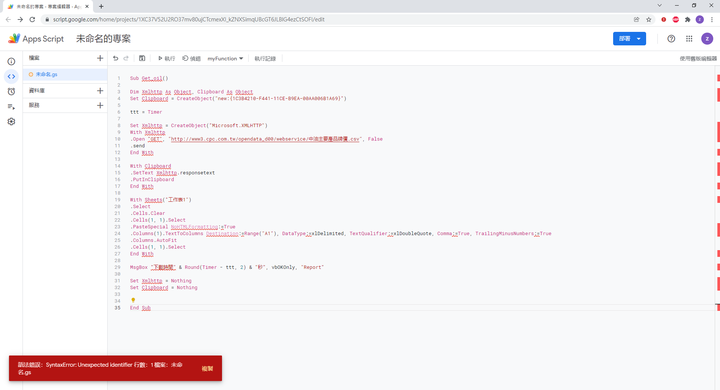
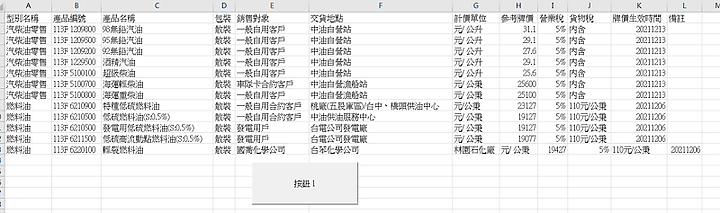
我剛剛測試了, 可以下載. 我的系統是Windows
'原始資料,最後一列的排版就是那樣


#If VBA7 Then
    Private Declare PtrSafe Function URLDownloadToFile Lib "urlmon" _
    Alias "URLDownloadToFileA" (ByVal pCaller As Long, ByVal szURL As String, _
    ByVal szFileName As String, ByVal dwReserved As Long, ByVal lpfnCB As Long) As Long
#Else
    Private Declare Function URLDownloadToFile Lib "urlmon" _
    Alias "URLDownloadToFileA" (ByVal pCaller As Long, ByVal szURL As String, _
    ByVal szFileName As String, ByVal dwReserved As Long, ByVal lpfnCB As Long) As Long
#End If


Sub GetOILCsv()

    Dim Url, Target, OILcsv, Clipboard As Object, OIL As Object
    Set Clipboard = CreateObject("new:{1C3B4210-F441-11CE-B9EA-00AA006B1A69}")
    Set OIL = CreateObject("ADODB.Stream")

    On Error GoTo checkid


     Target = "d:\excel\" '暫存目錄
     If Dir(Target, vbDirectory) = "" Then MkDir Target
     '注意啟用下一行,暫存目錄下的檔案,會在無任何提示下刪除
     'If Dir(Target & "*.*") <> "" Then Kill Target & "*.*"

     Sheets("工作表1").Cells.Clear
     Application.ScreenUpdating = False

     '原始資料來源網址(https://twn.databasesets.com/id/6339?amp=)
     Url = "http://www3.cpc.com.tw/opendata_d00/webservice/中油主要產品牌價.csv"

     URLDownloadToFile 0, Url, Target & "中油主要產品牌價.csv", 0, 0

'如果單純只是下載檔案,那程式碼到這裡就可以結束了

     With OIL
        .Type = 2
        .Charset = "UTF-8"
        .Open
        .LoadFromFile Target & "中油主要產品牌價.csv"
        OILcsv = .ReadText
        .Close
     End With

     With Clipboard
         .SetText OILcsv
         .PutInClipboard
     End With


     With Sheets("工作表1")
        .Select
        .Cells.Clear
        .Cells(1, 1).Select
        .PasteSpecial NoHTMLFormatting:=True
        .Columns(1).TextToColumns Destination:=Range("A1"), DataType:=xlDelimited, TextQualifier:=xlDoubleQuote, Comma:=True, TrailingMinusNumbers:=True
        .Columns.AutoFit
        .Cells(1, 1).Select
     End With

     Set Clipboard = Nothing
     Set OIL = Nothing

checkid:

    If Err.Number <> 0 Then
         Debug.Print Err.Description
    End If

End Sub
snare wrote:
如果不想在 finance...(恕刪)