個人積分:71分
文章編號:61669007


個人積分:1749分
文章編號:61675084

個人積分:955分
文章編號:61677402
有跟超強的
網絡信號大師 QTRUN Technologies 0.91版
https://play.google.com/store/apps/details?id=com.qtrun.QuickTest&hl=zh_HK
作者建議....
8/30
真是超級好棒棒,Root後觀測4G頻段 的超強APP,
若是後續版本能增加 DL Freq: UL Freq:顯示就超級完美了。
還有若是Band顯示B03能增加頻段數字註解一下。
變成B03(1800MHz),B01(2100MHz),B07(2600MHz)顯示
那就更淺顯易懂更是好用的超級好用APP。
Really super good club, after observing 4G band Root Super APP,
if subsequent versions can be increased DL Freq: UL Freq: displays on super perfect.
If there is to increase the frequency Band display B03 digital annotation about. Into B03 (1800MHz), B01 (2100MHz), B07 (2600MHz) Display
It is more easy to understand but easy to use
super easy to use APP.
8/31開發人員回覆:
thanks for you comments... I noticed that you are using a mimax... there are some problems with band and rat locking for MSM8952 series. please wait for the next release...
9/14 新的版本1.02版
加入中文設定功能
增加了
增加頻段數字註解
變成B03|1800+;B07|2600顯示
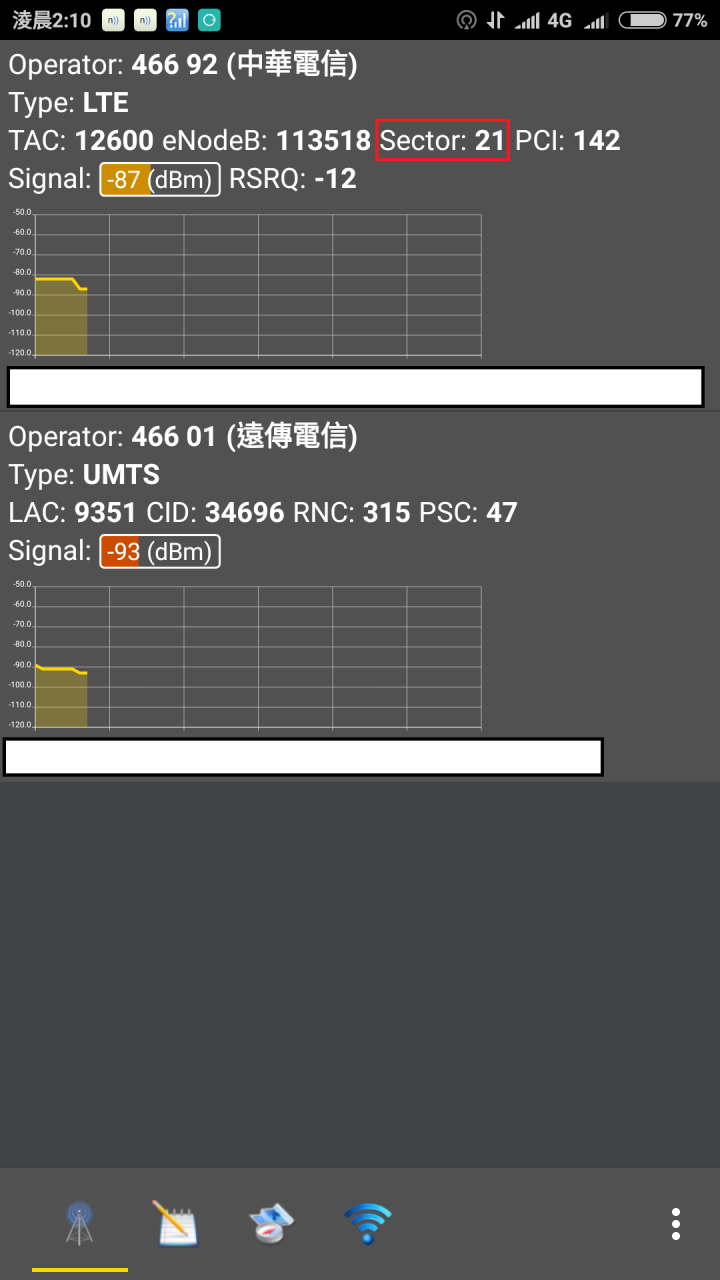
有圖有真相


9/16 哇感謝開發人員
1.02版
增加了
各個頻段的註解顯示
B03|1800+;B07|2600
淺顯易懂讓人看了,
讓沒有規則性的Band0X~Band4X的頻率分配,
一目瞭然真是佛心的開發人員,
真是超級好棒棒的LTE 4G頻段觀測APP
叫它第1名 當之無愧。
目前1.02版只有
第1頁有各個頻段的註解顯示,
「第3頁」跟「鎖頻段」部分並沒有頻段註解顯示,
期待後續版本,能更新「第3頁」跟「鎖頻段」也有頻段註解顯示,
那就更靚完美了。
9/16 wow thanks Developer
Version 1.02
increased
Each band displayed annotations
B03 | 1800+; B07 | 2600
People looked easy to understand,
So that there is no rule of frequency allocation Band0X ~ Band4X of
Buddha's heart is really at a glance developers,
Really super good club's LTE 4G band observation APP
Call it a well-deserved first.
Currently only Edition 1.02
The first one annotated each band show
"Page 3" with "lock band" section does not display the band notes,
We expect follow-up version, to update the "Page 3" with "lock band" bands also notes show,
It is more pretty perfect.
就像 NV Calculator Band頻段註解一樣

QTRUN Technologies 1.02版

9/24更新
看網友介紹
又有1款支援雙SIM卡顯示的收訊狀態APP
可以來觀測雙SIM卡是否可支援
4G+3G
或是只能支援4G+2G
Network Cell Info Lite
https://play.google.com/store/apps/details?id=com.wilysis.cellinfolite&hl=zh_TW
4G+3G

4G+2G

4G+2G

廟堂之上,朽木為官;殿陛之間,禽獸食祿。狼心狗行之輩,滾滾當朝;奴顏婢膝之徒,紛紛秉政。
個人積分:0分
文章編號:61938380


個人積分:92分
文章編號:61938571
個人積分:0分
文章編號:61939317

個人積分:54分
文章編號:61940607
個人積分:955分
文章編號:61941787
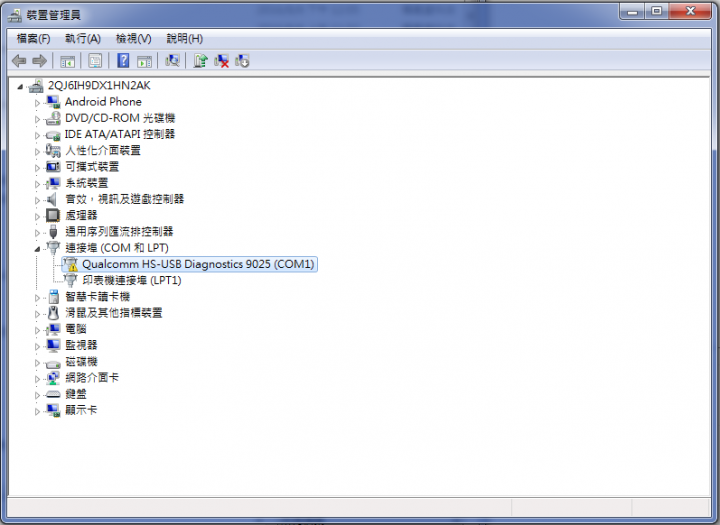
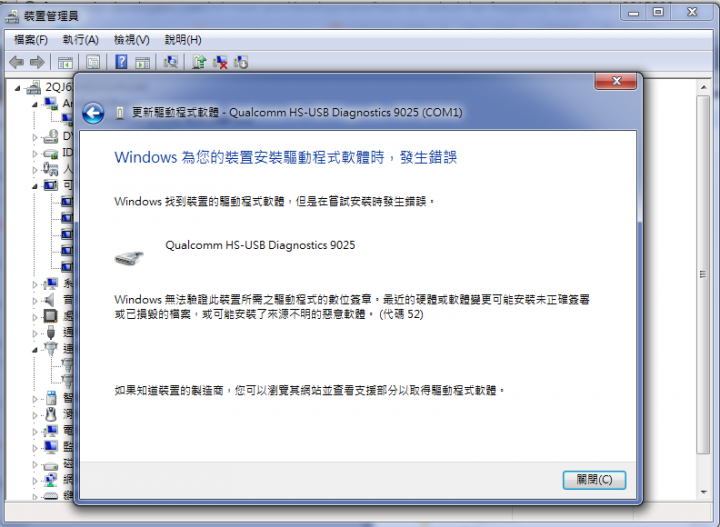
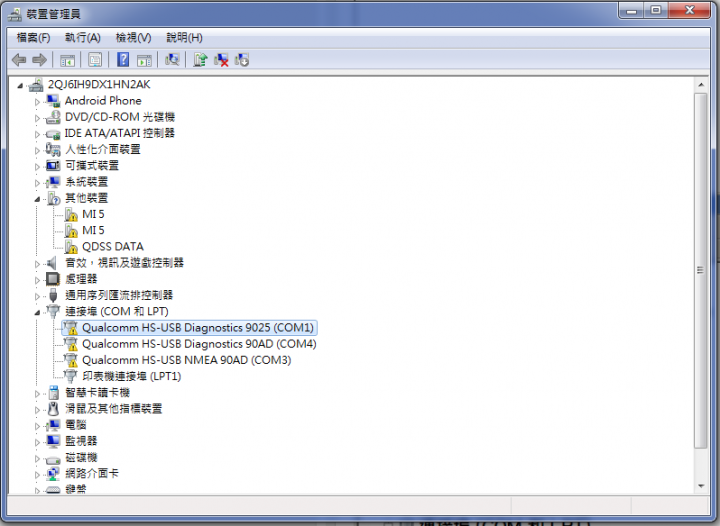
有解鎖 Root成功
還有另一種方法
不需要安裝小米5的3種驅動程式
使用紅米Note3的 adb shell 開啟方式
哇 感謝樓主amjads大大 13樓回覆...
跟這篇是一樣的
http://en.miui.com/thread-100458-1-1.html
原來要使用 adb shell
才能開啟 紅米Note3
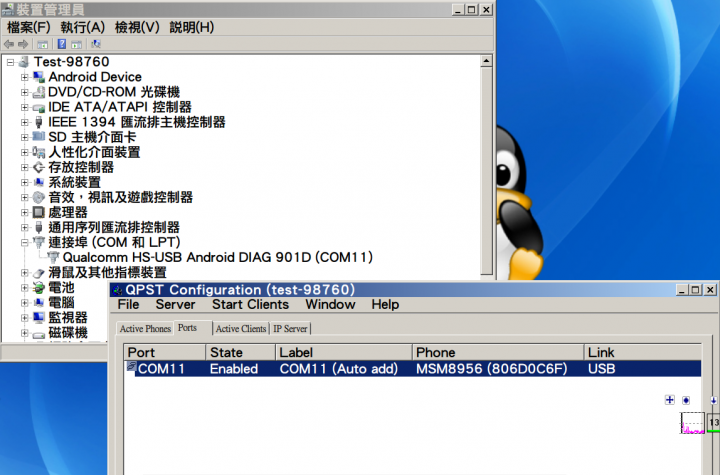
的 Diag USB port enable
剛剛測試
小米MAX也是可以如此開啟
不需使用
*#*#717717#*#* (不需要 Root 權限)
還要再安裝3個相關的驅動程式的麻煩
不過發現需要 Root 權限
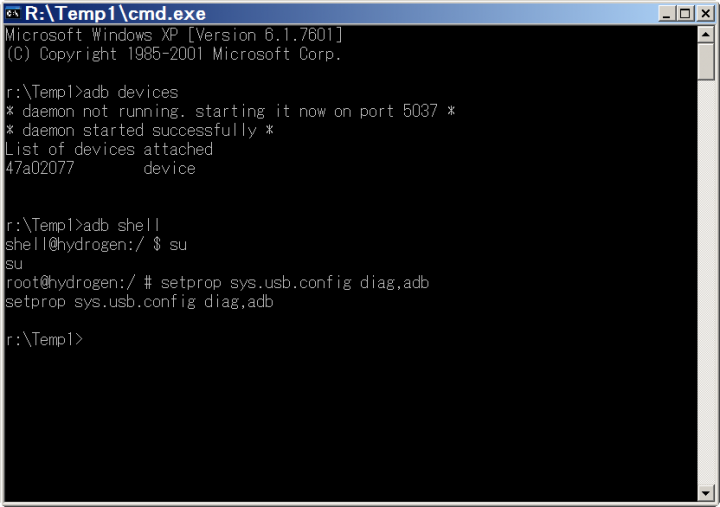
adb devices
adb shell
su
setprop sys.usb.config diag,adb
若是紅米Note3沒有 Root權限
應該就無法開啟
Diag USB port enable
小米MAX 開啟 setprop sys.usb.config diag,adb
廟堂之上,朽木為官;殿陛之間,禽獸食祿。狼心狗行之輩,滾滾當朝;奴顏婢膝之徒,紛紛秉政。
個人積分:0分
文章編號:61945059
個人積分:1分
文章編號:61945228