配備是
處理器 Intel(R) core(TM) i5-2450M cpu @ 2.50GHz 2.50GHz
記憶體 8.00 GB
作業系統 win7 64位元作業系統
顯示卡 AMD Radeon HD Graphics
虛擬四核心
想請問一下,我剛買的是2萬5因為價格說的起起伏伏,想請問是否是買貴了??
我在網路上還看到i7 2萬2的

個人積分:10分
文章編號:33857117

個人積分:25分
文章編號:33882436


個人積分:78分
文章編號:33882616
個人積分:16分
文章編號:33889843


個人積分:9955分
文章編號:33890870
個人積分:10分
文章編號:33923444
 之前沒做好功課所以買貴了
個人積分:85分
文章編號:33928827
個人積分:393分
文章編號:33967732

個人積分:16分
文章編號:33973119
個人積分:135分
文章編號:34293324
 G770 Bios Unlock
v3.06 Unlock
v3.06
Rename the ROM file to PIWG1.bin and place it on root of FAT32 formatted pendrive. And flash it by recovery holding FN-B with pendrive inserted and while you press power on on laptop (from powered off state
1. turn off the laptop
2. Unplug the power cord.
3. insert the flash drive
4. press and hold Fn-B key combination
5. while holding Fn-B, plug in the power cord
6. still holding Fn-B, press Power button
the computer will spin up the fan but the screen will remain black. If it finds the appropriate file, it'll beep again, read it in, and will start flashing the BIOS. Once it's completed flashing the BIOS, it will continuously beep, the power button will not respond, neither will any key combinations (Scared me at this point, thought i bricked my motherboard). I unplugged the laptop from the power, pulled the battery to kill the laptop. Once I put the battery back in, I hit the power button and it powered up and ran without issue.
BIOS跟EC都是3.06版的, 用Fn+B會清掉BIOS跟EC

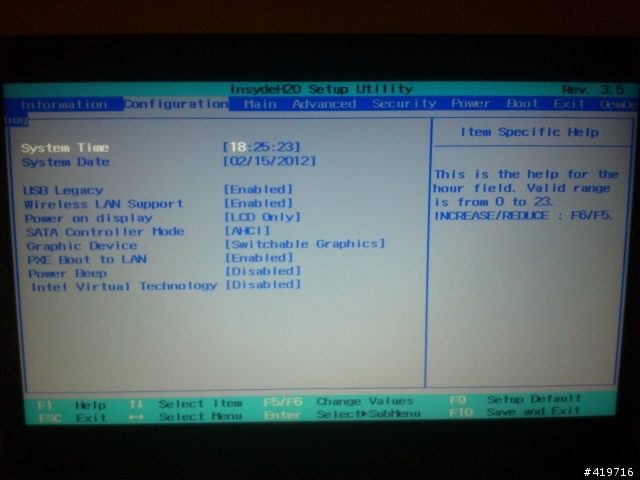
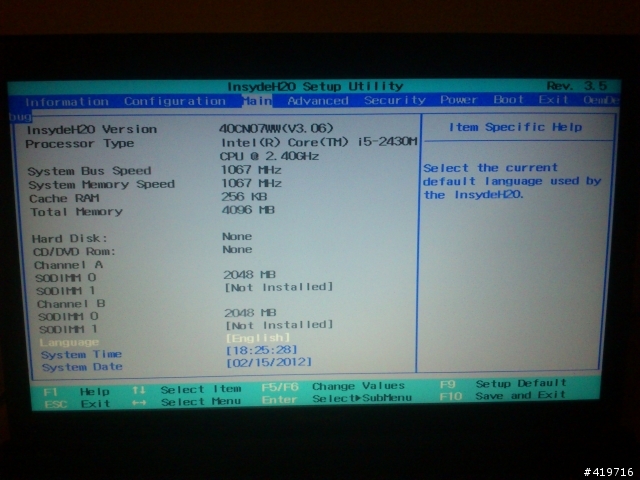
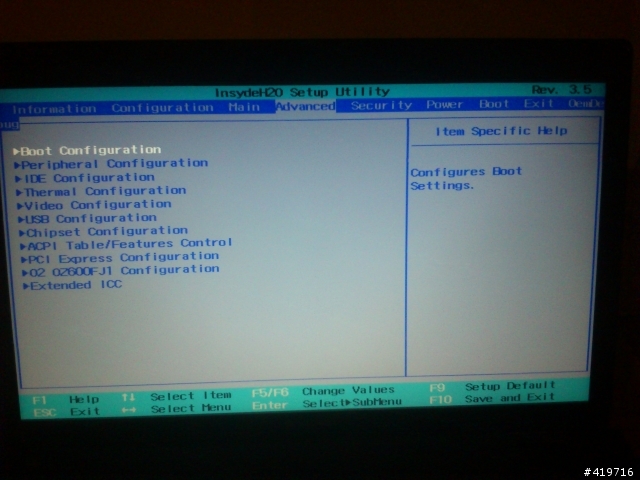
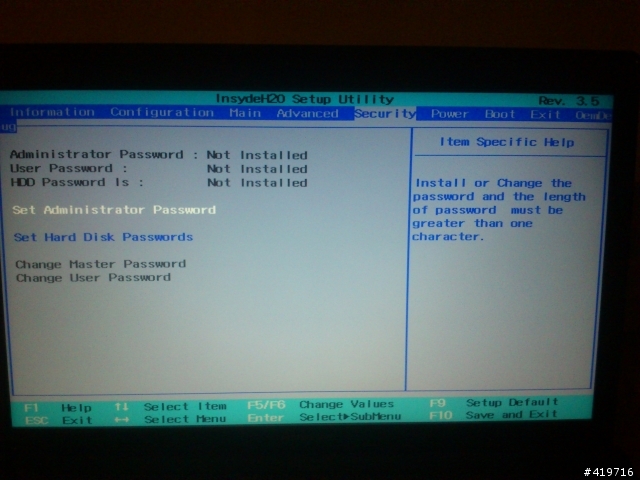
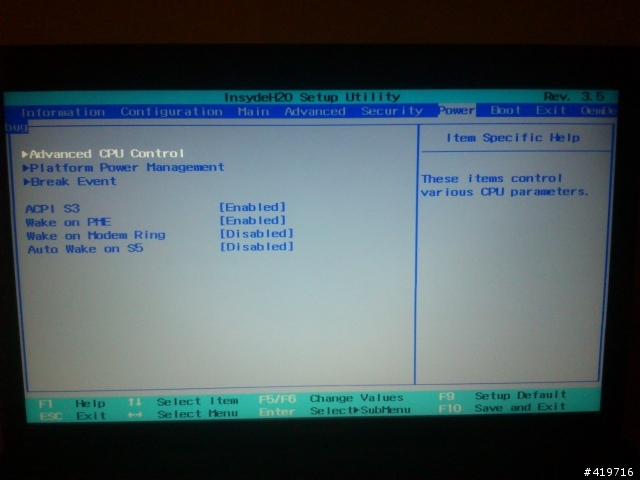
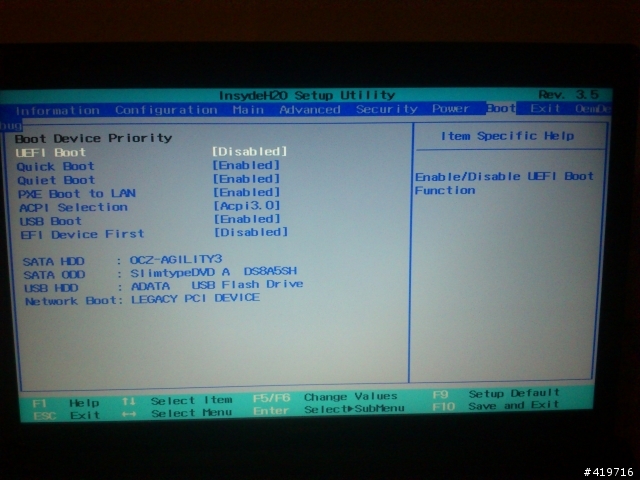


需要一些技巧,心臟比較大顆的人可以試試
以上改過的BIOS匯總在whitelists
找LENOVO-40CN07WW_V3.06__UlkMenus.exe這個檔,再用Insydeflash來只刷BIOS Code
不要刷3.08的版本, 那版沒有支持ATI獨顯
改Video的設定要特別小心, 如果改到開機畫面出不來的話, 千萬不要用重刷BIOS的方法
可能會更糟糕, 糟糕到要送修換主機板
很簡單的方法就是Load Default Settings (改危險設定之前請自行測試自救方法)
1. Power on
2. Wait 4 Seconds
3. F9
4. F10
會自動重開出現開機畫面